Backtesting7 min read
How to Audit Historical Price Data for Missing Bars
Learn how to check historical trading data for missing bars and duplicates with a session-aware timestamp worksheet and documented handling rules.
By TerraTrade Team
Why bar continuity deserves its own audit#
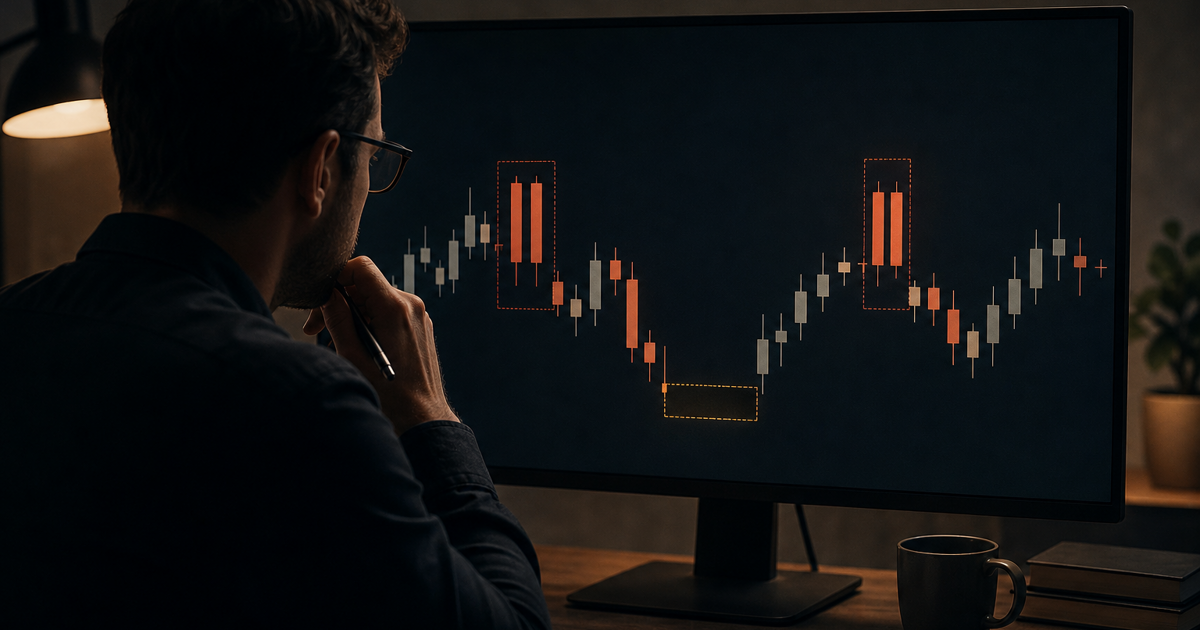
A backtest can be precisely coded and still be testing the wrong history if its input bars are incomplete, duplicated, or assigned to the wrong sessions. Before running a strategy test, check whether the timestamps in your file match the timestamps that should exist for the instrument, interval, date range, and session you intend to analyze.
This guide shows how to check historical trading data for missing bars and duplicates, classify gaps, and document decisions without silently editing the original file. A missing timestamp is a flag to investigate—not proof of a bad feed. It may belong to a scheduled closure, a session break, or a date with shortened hours. The expected schedule is the reference point for deciding.
A bar is an OHLCV record for a defined interval. A gap in this audit means an expected timestamp has no corresponding record. A duplicate means more than one record has the same timestamp under the timestamp convention you have chosen. Duplicates with different OHLCV values are especially important to investigate; identical rows can still distort a test if both are processed.
Do not assume that every instrument trades continuously, that all vendors timestamp bars the same way, or that a weekday always has a full session. For example, NYSE publishes market-specific hours and a calendar that includes holidays and early closes. Build expectations from the relevant schedule rather than applying a generic weekday grid. Holidays & Trading Hours
Define the timestamps you expect#
Before counting rows, write down what a valid timestamp means for this dataset. The expected grid depends on both the market schedule and the data provider’s bar construction. For instance, a bar labeled by its opening time is not interchangeable with one labeled by its closing time. Record the convention stated by your provider; do not infer it just by looking at one row.
Complete this setup once for each distinct instrument, source, interval, and session definition. If any of those changes, treat it as a separate audit rather than assuming the old expected grid still applies.
| Worksheet field | What to record |
|---|---|
| Instrument and market | Symbol, venue or market, and any contract or share-class identifier needed to identify the series. |
| Data provenance | Vendor, feed or product, file/query identifier, and retrieval date. Keep an immutable copy of the raw input. |
| Bar specification | Interval; timestamp field and whether it marks bar open or close; time zone; daylight-saving treatment. |
| Session definition | Exact session included, such as regular hours or a named extended session, including any scheduled breaks. |
| Audit scope | Start and end dates; schedule or calendar used, including its version or retrieval date. |
| Expected-bar rule | How timestamps are generated within each session, including treatment of the opening and closing boundaries. |
| Reproducibility | Audit script or spreadsheet version, run date, and raw-file checksum or storage reference if available. |
Use this sequence for each audit run. The aim is not to make every series look continuous; it is to separate expected absence from unexplained absence and to make any data treatment visible.
- Preserve the original file. Work on a copy and note the source, retrieval date, and file identifier so later checks can be compared with the same input.
- Parse timestamps consistently. Convert them to the declared time zone and convention before comparing rows. Record parse failures rather than silently dropping them.
- Create the expected timestamp set. Generate it session by session, using the instrument’s schedule, calendar, interval, and boundary rule.
- Compare expected timestamps with observed rows. List absent expected times, repeated timestamps, and observed timestamps outside the declared session as separate findings.
- Inspect flagged records. Check whether a gap coincides with a scheduled closure or break; for duplicates, compare OHLCV values and any available source or sequence fields.
- Classify each issue. Mark it as scheduled closure/break, confirmed data issue, unresolved, or not applicable because the timestamp was not expected. Record the evidence behind the classification.
- Choose and document treatment before testing. Examples include excluding a session from the test, obtaining a corrected file, deduplicating under a stated rule, or retaining an unresolved flag and withholding the affected sample. Do not invent bars by copying neighboring prices or filling volume without a documented, defensible method.
- Re-run the checks after any change. Save the final issue log and resulting dataset identifier alongside the test so the same preparation can be reproduced.
A compact daily summary makes the review scan-friendly. Keep the detailed timestamp-level findings in a separate issue log if the date has multiple exceptions. An issue log should include the timestamp, expected or observed status, finding, classification, evidence checked, treatment, and reviewer or audit-run identifier.
| Date / session | Expected bars | Observed rows | Missing expected timestamps | Duplicate timestamps | Out-of-session rows | Classification and handling |
|---|---|---|---|---|---|---|
| YYYY-MM-DD / session label | Count | Count | Timestamp list or range | Timestamp and row count | Timestamp list | Scheduled, confirmed issue, unresolved; action and rationale |
Classify the issue before changing the data#
A missing expected timestamp should be investigated against the calendar and session definition first. A holiday closure, early close, or scheduled break can explain why a bar should not exist; a gap in a period when the chosen instrument and session were expected to be open remains an issue to resolve. Market schedules are date-sensitive, so retain the calendar reference you used rather than relying on memory. Holidays & Trading Hours
A duplicate can arise from repeated rows, a join that multiplied records, or a source-specific representation. Do not automatically keep the first or last row. Compare the records, identify the likely cause where possible, and state the chosen rule. If competing values cannot be reconciled, preserve both in the audit record and mark the affected data unresolved until you decide whether to exclude or replace it.
Keep the original data unchanged. The SEC’s market-data infrastructure rule recognizes data-quality and clock-drift concerns in market-data systems; treat timestamp integrity and completeness as first-class checks and document any changes you make. This is a reason to take integrity seriously, not a prescription for how to repair bars. Final Rule: Market Data Infrastructure
A summary count alone can conceal an important problem: one unexplained gap near a strategy’s decision point may matter more than several expected absences during closures. Review the locations and classifications, not just the totals. The audit does not prove that a dataset is error-free; it shows which checks you performed and what remained unresolved.
- Timestamp parsing failures or unexpected time shifts that could indicate a time-zone or daylight-saving mismatch.
- Observed rows outside the session you declared, which may signal a session-definition mismatch or an input issue.
- Duplicate timestamps, especially where the records contain different OHLCV values.
- Missing timestamps during periods that the chosen schedule says should be open.
- Clusters of gaps or duplicates that appear together in a particular date range or file segment.
Make the audit reproducible#
Attach the worksheet or its saved equivalent to the backtest record. Include the raw dataset reference, expected-grid rules, schedule source, issues found, classifications, and actions taken. When you later compare another data source or rerun the test, you can tell whether a changed result reflects the strategy, a different history, or a different cleaning decision.
This is a bounded audit, not a guarantee of data quality. It checks timestamp continuity against a stated expectation. It does not establish that every recorded price or volume is accurate, that all market events are represented, or that the vendor’s feed is complete at finer-than-bar resolution.
A useful bar audit is a documented comparison between an expected timestamp grid and the observed file—not a promise that the history is flawless.
The practical takeaway
What it adds
- ✓Separates scheduled non-trading time from unexplained missing records.
- ✓Makes duplicate handling and data edits visible rather than implicit.
- ✓Creates a repeatable record to accompany a strategy test.
Limits
- —A continuity check cannot verify that every OHLCV value is economically correct.
- —Expected timestamps depend on accurate session, calendar, time-zone, and vendor-convention inputs.
- —Unresolved gaps or conflicting duplicates may require a separate source or manual investigation.
Frequently asked questions#
Does every missing timestamp mean the data is defective?
No. First determine whether the timestamp belongs to the session and calendar you defined. Holidays, early closes, and scheduled breaks can make an absent timestamp expected. Holidays & Trading Hours
Should I compare bar-open times or bar-close times?
Record the provider’s stated convention and use it consistently. A timestamp that labels a bar’s open cannot be compared directly with one that labels the close; do not assume all vendors use the same rule.
What should I do with duplicate timestamps?
Flag the repeated timestamp, compare the rows and their OHLCV values, and document the rule used to resolve or exclude them. If you cannot justify a resolution, leave the issue marked unresolved rather than choosing a row silently.
How do I document a repaired or excluded bar?
Keep the original file unchanged and record the issue, evidence, classification, and treatment. Re-run the audit on the prepared dataset and retain both the input reference and the audit version with your test.
Does a clean continuity audit prove the data is accurate?
No. It checks timestamp continuity under your declared assumptions. It does not prove that prices and volume are accurate or that every relevant event is present.
Sources#
- Holidays & Trading Hours — nyse.com
- Final Rule: Market Data Infrastructure — sec.gov
- https://www.nasdaqtrader.com/trader.aspx?id=Calendar — nasdaqtrader.com
- https://www.nasdaqtrader.com/content/technicalsupport/specifications/TradingProducts/fixactspec.pdf — nasdaqtrader.com
- https://www.nasdaqtrader.com/content/pbot/nfx_tradingcalendar.pdf — nasdaqtrader.com
- https://www.nasdaqtrader.com/TraderNews.aspx?id=ETA2026-72 — nasdaqtrader.com
- https://www.nyse.com/trade/trading-information — nyse.com
- https://www.sec.gov/rules-regulations/staff-guidance/trading-markets-frequently-asked-questions/frequently-asked-questions-rule-605-regulation-nms — sec.gov
- https://www.sec.gov/files/rules/final/2024/34-99679.pdf — sec.gov
- https://www.nyse.com/publicdocs/nyse/data/Daily_TAQ_Client_Spec.pdf — nyse.com
- https://www.nyse.com/publicdocs/nyse/data/NYSE_BQT_Cloud_Streaming_Client_Specification.pdf — nyse.com
- https://www.nyse.com/data-products/catalog/daily-taq/ — nyse.com
- https://www.sec.gov/files/rules/sro/cboe/2026/34-106785.pdf — sec.gov
- https://www.sec.gov/divisions/marketreg/nmsfaq610-11.htm — sec.gov
- https://www.sec.gov/opa/press-release-2012-134-related-material — sec.gov
- https://www.nyse.com/data/cta — nyse.com
KEEP READING
Backtesting6 min read
How to Model Bid–Ask Spread Costs in a Backtest
Build a reproducible bid–ask spread estimate for backtests using timestamped quotes, side-specific fill assumptions, position size, and a clear worksheet.
Read post
Strategies7 min read
When Should You Remove Old Support or Resistance?
Learn when to remove support and resistance levels with a lifecycle worksheet for tracking age, interactions, and predeclared review rules.
Read post
Strategies8 min read
How to Compare Premarket Volume With Its Usual Pace
Compare premarket share volume with its usual pace using a fixed cutoff, recorded lookback dates, and a consistent relative-volume calculation.
Read post