Journaling8 min read
How to Share Trading Screenshots Safely
A practical checklist for safely sharing trading-journal screenshots: hide account details and personal clues while keeping chart context useful.
By TerraTrade Team
Why screenshot privacy matters#
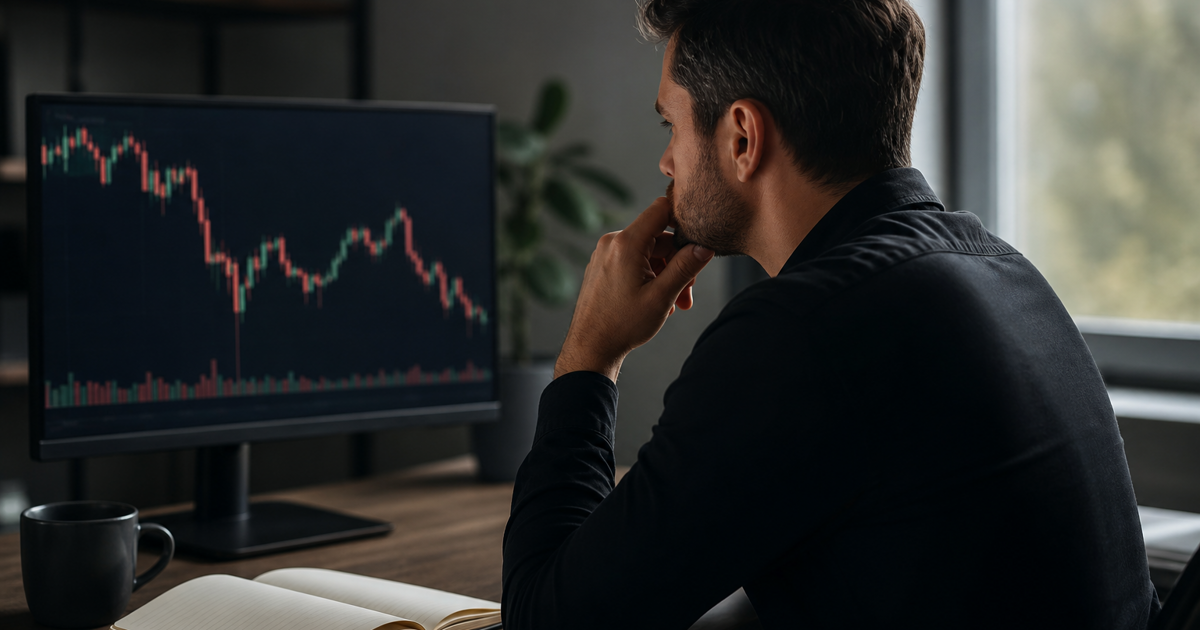
A trading-journal screenshot can make a discretionary decision easier to review: it shows the market context, the trader’s marks, and sometimes the order or account panels around them. But a screenshot can also reveal account identifiers, financial details, personal notifications, or clues about who and where you are. The practical aim is not to hide the evidence needed for feedback. It is to remove details that do not help explain the decision.
This guide covers only preparing an image for sharing. It is not a method for capturing trades, a guarantee that an image is anonymous, or legal advice. The SEC identifies financial-account numbers and certain personal details as sensitive information in the context of covered filings; that is a useful privacy reference, not a rule for sharing trading screenshots. NOTICE OF REDACTION RESPONSIBILITY The FTC likewise advises care when sharing images and messages because others may save or reshare them. Heads Up: Stop. Think. Connect. | Consumer Advice
Use the checklist before sending an image to a mentor, peer group, forum, or journal community. If a recipient needs a specific detail to assess your decision, share the minimum useful version and consider whether the audience and channel are appropriate.
Use this as a quick triage, not a fixed rule. Some fields are sensitive because they identify an account; others are simply unnecessary exposure. The SEC redaction notice names financial-account numbers and several personal details as sensitive information in its filing context, not as a universal screenshot classification. NOTICE OF REDACTION RESPONSIBILITY Treat the list as a cautious practical checklist rather than a legal standard.
| Review area | Usually remove or mask | Preserve when useful for feedback |
|---|---|---|
| Account identity | Account or customer numbers, username, email, full name, QR codes, and account-linked URLs. | A generic broker or platform label only if needed to describe the interface. |
| Account-level financials | Total equity, cash, buying power, margin, portfolio value, and account-wide profit or loss when not relevant. | A trade-specific size or risk figure only when necessary to discuss the decision; generalize it if exact precision is not needed. |
| Order and transaction references | Order IDs, execution IDs, confirmation numbers, and other references that could connect the image to a broker record. | The relevant entry or exit price, timestamp, or fill detail when execution is the feedback topic. |
| Personal or workplace clues | Message previews, email subjects, contact names, browser tabs, profile icons, workplace or firm names, and custom workspace labels. | The chart and annotations that explain the setup, management, or exit. |
| Location clues | Visible home or office details, location-linked labels, and unnecessary landmarks in camera photos. | Only the market context required for the review; remove surroundings that add no trading information. |
Work through this list in order. The sequence moves from defining what the reviewer needs to checking the actual final file.
- Start with the feedback question. Write down what you want reviewed—such as whether the entry matched your stated trigger, whether the stop placement was visible, or how you managed an exit. This helps you keep the right chart evidence and avoid sharing unrelated screens.
- Crop out account and profile areas. Remove account numbers, usernames, email addresses, customer IDs, account names, QR codes, and links that could lead to an account. Inspect the edges of the image: identifiers often sit in a title bar, corner panel, or profile menu.
- Hide account-wide balances. Check for equity, cash, buying power, margin, portfolio value, and total account P&L. If sizing is part of the discussion, share only the trade-specific information needed; consider rounding or describing it in a less identifying way.
- Mask transaction references. Look for order, execution, and confirmation IDs. Keep the relevant fill price or time only if it helps answer the review question. Avoid leaving a unique reference number visible merely because it is next to useful execution data.
- Clear notifications and surrounding interface details. Dismiss pop-ups before sharing when possible. Inspect for message previews, email subjects, contact names, browser tabs, open documents, watchlist labels, or workplace names. The FTC warns that information shared in images and messages can be saved or passed on beyond the intended audience. Heads Up: Stop. Think. Connect. | Consumer Advice
- Preserve the chart evidence. Keep the instrument or ticker when appropriate, timeframe, relevant candles or price structure, indicators used in the decision, entry and exit area, and annotations that make the reasoning legible. Crop out unrelated panels rather than removing context needed to assess the trade.
- Check for visual and file-level clues. Look at visible names, location labels, and identifiable surroundings. If the image is a camera photo or may contain saved location information, review the image’s sharing and location settings. Google notes that photos may contain saved location information and that visible landmarks can also reveal location. How Google Photos protects your location data - Google Photos Help
- Review the final image at full size. Zoom into every corner, toolbar, panel, and notification area. Prefer a clean crop or an opaque cover for text you need to conceal. Do not assume a partial cover or blur makes small text unreadable; verify the exported image itself.
- Share the reviewed copy, not the original. Save a separate sanitized version, reopen it, and confirm that the removed content is no longer visible. Share only with the intended audience and assume recipients may save a copy. The FTC cautions that control over a shared post can be limited once others can see it. Heads Up: Stop. Think. Connect. | Consumer Advice
A simple context test#
Before sending, apply three tests. If the first answer is no, restore only the chart context needed to make the decision understandable. If the second is yes, crop or mask more. If the third gives you pause, reconsider the audience, channel, or whether to share the screenshot at all. This is a practical judgment check, not a promise of privacy.
Share the decision, not the account#
A well-prepared trading screenshot is selective: it makes the decision legible without exposing account details that do not contribute to the discussion. A clean crop, an opaque mask, and a full-size final review are simple safeguards, but they cannot guarantee that an image will remain private after sharing.
Keep the instrument, timeframe, price action, and relevant annotations needed to assess your reasoning. Remove account identifiers, account-wide balances, transaction references, notifications, and personal clues unless a specific detail is essential. If you retain a trade-specific figure for useful feedback, include only what the discussion needs and be clear about what has been omitted.
Use the screenshot only when its expected feedback value justifies sharing it with that audience. There is no universal crop that is right for every review.
Practical takeaway
Strengths
- ✓A focused crop can preserve chart evidence while excluding irrelevant account panels.
- ✓A checklist makes it easier to catch identifiers and notifications before sharing.
Limitations
- —Cropping may remove context a reviewer needs; explain deliberate omissions.
- —Masking and a final visual check reduce exposure but cannot control what recipients do with a shared image.
Frequently asked questions#
What details should I hide in a trading screenshot?
At minimum, check account numbers, usernames, email addresses, customer IDs, account names, QR codes, account-wide balances, order or execution references, notifications, and browser or profile details. The SEC lists financial-account numbers and other personal information as sensitive in its filing context; that is a useful reference, not a screenshot-specific rule. NOTICE OF REDACTION RESPONSIBILITY
What should stay visible for useful chart feedback?
Keep the market evidence relevant to the feedback question: typically the instrument or ticker, timeframe, price structure, relevant indicators, and entry, exit, or annotation marks. Remove unrelated account panels rather than cutting away chart information needed to understand the decision.
Is blurring enough to conceal an account number?
Use an opaque cover or crop, export a separate copy, then reopen and inspect that exported image at full size. A final visual check is important because small text may remain legible when enlarged. Do not assume a blur or partial cover has concealed the information.
Can an image reveal my location?
It may. Google says photos can include saved location information, and people may infer location from visible landmarks. For camera photos or files with location data, review sharing and location settings; a platform screenshot may also reveal location through visible labels or surroundings. How Google Photos protects your location data - Google Photos Help
Can I control what happens after I share the image?
Treat a shared image as something the recipient could save or reshare. The FTC advises care with shared images and messages and notes the limits of controlling a post once others can see it. If you would not be comfortable with broader exposure, reconsider whether and where to share. Heads Up: Stop. Think. Connect. | Consumer Advice
Keep your review workflow focused on the decisions and context you want to learn from.
Who this is for#
This checklist answers a narrow reader question for visual discretionary traders who share chart screenshots for feedback. It focuses on pre-share privacy preparation—cropping or masking identifiers—while preserving the chart context needed for a useful review. It is not a workflow for capturing trades, a guarantee of anonymity, or legal advice.
Sources#
- NOTICE OF REDACTION RESPONSIBILITY — sec.gov
- https://www.sec.gov/rules/final/2020/34-90442.pdf — sec.gov
- https://www.sec.gov/comments/sr-finra-2014-008/finra2014008-2.pdf — sec.gov
- https://www.sec.gov/Archives/edgar/data/2107057/000119312526116167/d107142dex107.htm — sec.gov
- Heads Up: Stop. Think. Connect. | Consumer Advice — consumer.ftc.gov
- How Google Photos protects your location data - Google Photos Help — support.google.com
- https://support.google.com/photos/answer/6153599?co=GENIE.Platform%3DAndroid&hl=en — support.google.com
- https://support.google.com/maps/answer/16278054?hl=en — support.google.com
- https://consumer.ftc.gov/media/79866 — consumer.ftc.gov
- https://consumer.ftc.gov/articles/image-based-abuse-what-know-and-do — consumer.ftc.gov
- https://support.google.com/photos/answer/15532903?hl=en-GB — support.google.com
- https://www.consumer.ftc.gov/sites/default/files/articles/pdf/pdf-0002-heads-up.pdf — consumer.ftc.gov
- https://consumer.ftc.gov/consumer-alerts/2021/06/your-guide-protecting-your-privacy-online — consumer.ftc.gov
- https://consumer.ftc.gov/system/files/consumer_ftc_gov/pdf/ShareWithCare-ActivitySheet-508-KEY.pdf — consumer.ftc.gov
- https://consumer.ftc.gov/articles/how-protect-your-phone-hackers — consumer.ftc.gov
- https://consumer.ftc.gov/system/files/consumer_ftc_gov/pdf/WhatInfoIsPersonal-Activity-508.pdf — consumer.ftc.gov
KEEP READING
Journaling7 min read
How to Journal Partial Fills: An Order-to-Fill Worksheet
Journal partial fills with a parent-order worksheet: fill-by-fill prices and timestamps, fee checks, weighted averages, and a final position check.
Read post
Journaling8 min read
How to Journal a Multi-Leg Options Spread
Learn how to journal options spreads with a parent trade record, leg-by-leg fills, net debit or credit, risk assumptions, adjustments, and closing events.
Read post
Trading Psychology11 min read
A process for measuring FOMO trades
Turn late entries into data. Use a FOMO trading journal to tag, benchmark, and quantify the cost of chasing so you can change behavior with evidence.
Read post